Included files
Review the product description or contact support if the supplied-file list is not yet published.
Original price was: $ 50.$ 25Current price is: $ 25.
Secure delivery
Log in to downloadComplete product information
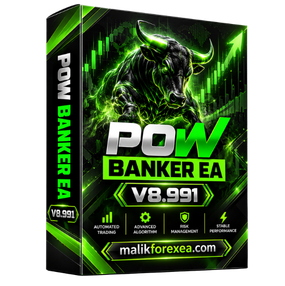
POW BANKER EA MT5 v8.991 is an automated Expert Advisor designed for MetaTrader 5 users who want to automate Forex and Gold trading. The EA is built around a combination of sequence-based trading, technical market filters, grid and hedging functions, and configurable risk-management tools.
The available v8.991 packages include multiple preset files for different approaches, including Forex, Gold hedging, RSI-based setups, trend strategies, and combinations of trend and range filters. Current product information also identifies XAUUSD and several major Forex pairs as supported markets. (EAXF Store)
Because POW BANKER v8.991 has many configurable settings, traders should understand the underlying trade-sequence and position-sizing logic before using it on a live account.
POW BANKER EA MT5 v8.991 is an automated trading system that operates through MetaTrader 5. Once installed and configured, the EA can monitor the market, open BUY and SELL positions, manage trading sequences, and apply programmed exit and risk-management rules.
Unlike a simple single-entry Expert Advisor, POW BANKER uses a sequence-based architecture. Its settings include pip-step calculations, maximum orders per direction, lot-size multipliers, profit locking, trailing stops, equity protection, and optional technical filters. (EAXF Store)
This makes the EA highly configurable, but it also means that traders need to understand how additional positions can affect total account exposure.
POW BANKER v8.991 is designed for the MetaTrader 5 platform.
The package is distributed as an EX5 Expert Advisor, with different v8.991 releases available for different MT5 builds. Current listings identify v8.991 packages for builds including 4885, 5120, 5430, and 5525. (Forex EA Shop)
This is important because traders should use the version compatible with their installed MT5 build.
POW BANKER is available for multiple Forex pairs as well as Gold.
Published specifications list instruments including:
The exact recommended symbols can depend on the supplied set file and trading strategy. (EAXF Store)
One of the main characteristics of POW BANKER is its sequence system.
The EA can open a sequence of trades rather than treating every position as an independent trade. Its settings include a pip-step parameter and a pip-step exponent that can change the distance between subsequent orders. (EAXF Store)
This allows traders to configure how the EA responds when the market moves away from an initial position.
POW BANKER includes ATR-based calculations for trade sequencing.
ATR, or Average True Range, measures market volatility. Using ATR in determining order spacing allows the distance between trades to be related to current market conditions rather than relying exclusively on one fixed distance.
The documented settings include an ATR period and a pip-step configuration that can use ATR-based calculations. (EAXF Store)
The EA supports both long and short trading.
The documented default configuration includes a Long and Short trading direction, although users can adjust the settings according to the selected strategy. (EAXF Store)
This allows the system to operate in bullish and bearish market environments.
POW BANKER can use several technical indicators as optional market filters.
Available settings include:
For example, RSI can be used to evaluate momentum conditions, EMA can provide trend information, and ADX can help measure trend strength. (EAXF Store)
These filters can be enabled or disabled depending on the selected strategy and preset.
POW BANKER’s trading architecture can include grid-style sequencing and hedging functionality.
Some published descriptions explicitly characterize the system as combining grid, hedging, trend, and recovery strategies. (Eafxway)
The EA also contains an Accelerated Recovery section with configurable recovery parameters. The documented default configuration shows this feature disabled, meaning traders can choose whether to use it rather than automatically assuming that recovery mode is active. (EAXF Store)
This is an important consideration because recovery and sequence-based trading can increase market exposure as additional positions are opened.
POW BANKER includes several risk-management and equity-protection settings.
The available configuration includes:
The EA’s documented maximum-orders setting can limit the number of trades opened in one direction. (EAXF Store)
These controls can help traders establish boundaries around automated exposure. However, risk controls must be configured correctly for the account size, broker, leverage, and selected strategy.
POW BANKER provides multiple methods for managing open positions.
The available settings include fixed Take Profit, risk-to-reward-based Take Profit, profit locking, and trailing-stop functionality. (EAXF Store)
For example, the documented settings allow Take Profit to be calculated using a risk/reward approach when the required Stop Loss configuration is active.
The EA can also check profit-locking and trailing conditions according to the selected checking frequency.
Some POW BANKER v8.991 descriptions include a news-filtering system designed to reduce trading around major economic events. (MT4 Systems)
A news filter can be particularly relevant for Gold and major Forex pairs because economic announcements can produce rapid price movements and increased spreads.
However, traders should verify that the news-filter functionality is available and correctly configured in their particular build.
POW BANKER is frequently marketed for proprietary trading environments.
Its settings include features that can be useful for accounts with daily loss or overall equity restrictions, such as equity stops, daily profit targets, maximum order controls, and scheduled weekend closure. (EAXF Store)
However, having these features does not automatically mean that an EA complies with every prop firm’s rules.
Prop firms can have different restrictions concerning:
Always check the specific rules of the prop firm before deploying an automated strategy.
| Specification | Details |
|---|---|
| EA Name | POW BANKER EA MT5 v8.991 |
| Platform | MetaTrader 5 |
| Version | v8.991 |
| Main Markets | Forex and Gold |
| Common Symbol | XAUUSD |
| Forex Pairs | Major Forex pairs |
| Trading Style | Sequence / Grid / Hedging / Trend |
| Analysis | ATR, RSI, EMA, ADX and other filters |
| Trading Direction | BUY and SELL |
| Risk Management | Equity and sequence controls |
| File Format | EX5 |
| DLL | Required by several v8.991 packages |
| Set Files | Available |
| VPS | Recommended |
The exact technical requirements depend on the v8.991 package. Current listings show DLL-enabled versions for multiple MT5 builds. (Forex EA Shop)
To install the EA:
Some packages specifically require DLL imports to be enabled, so traders should verify the exact build before changing MT5 permissions. (MT4 Systems)
One of the useful aspects of POW BANKER v8.991 is the availability of multiple preset files.
Published packages include configurations such as:
These presets are designed for different trading approaches and instruments. (EAXF Store)
Rather than changing every parameter manually, a trader can load an appropriate preset and then review the settings before starting the EA.
A VPS is recommended when running POW BANKER continuously.
Because the EA can manage multiple positions and trading sequences, uninterrupted MetaTrader 5 operation is important.
A VPS can help maintain:
However, a VPS does not improve the underlying profitability of the EA.
POW BANKER should be thoroughly tested before being used with real money.
Because the system can use multiple positions and sequence-based trade management, traders should pay particular attention to maximum exposure and floating drawdown.
During testing, monitor:
Backtesting can provide useful historical information, but it cannot guarantee future results.
POW BANKER EA MT5 v8.991 is a feature-rich automated trading system for MetaTrader 5 that supports Forex and Gold markets. Its architecture includes sequence-based trading, ATR-based spacing, optional RSI, EMA and ADX filters, hedging functionality, profit management, trailing stops, and equity-protection controls. (EAXF Store)
The availability of multiple set files allows the EA to be configured for different markets and strategies. However, its sequence, grid, hedging, and recovery capabilities can also create significant exposure if aggressive settings are used.
For this reason, traders should focus on understanding the EA’s position-sizing and equity-protection settings rather than judging the system solely by historical performance claims.
The exact v8.991 build should also be verified because different packages are available for different MT5 builds and may have different DLL requirements. (Forex EA Shop)
Financial Disclaimer: Forex and Gold trading involve significant financial risk. Automated trading systems can generate substantial losses, particularly when grid, hedging, averaging, or recovery techniques increase market exposure. Historical results, backtests, live-account results, or advertised returns do not guarantee future performance. Always test the EA on a demo account, understand every setting, and use responsible risk management before trading real money.
Risk notice: Automated trading and indicators can produce losses. Test on a demo account, verify compatibility and settings, and never risk funds you cannot afford to lose. No performance outcome is guaranteed.
Confirm the supplied MetaTrader platform, version, and included-file information before purchase.
Protected files remain attached to eligible BullFX orders or membership access.
Scan supplied files and begin on a demo account with appropriate risk controls.
Review the product description or contact support if the supplied-file list is not yet published.
Follow the BullFX installation guide and verify compatibility before loading files into MetaTrader.
Confirmed updates appear in the eligible customer account when supplied.
Purchase does not imply resale or redistribution rights unless the product terms explicitly grant them.
Trading software can lose money and does not guarantee an outcome.






Reviews
There are no reviews yet.