Included files
Review the product description or contact support if the supplied-file list is not yet published.
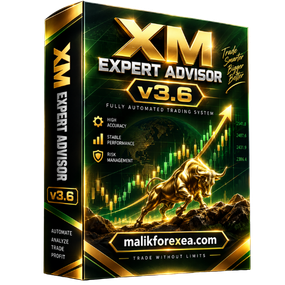
Original price was: $ 100.$ 50Current price is: $ 50.
| Feature | Details |
|---|---|
| Product Name | XM EA |
| Version | V3.6 |
| Platform | MetaTrader 4 (MT4) |
| Trading Style | Automated Forex Trading |
| DLL Requirement | No DLL Required |
Secure delivery
Log in to downloadComplete product information
XM EA MT4 V3.6 Without DLL is an automated trading Expert Advisor designed for the MetaTrader 4 platform. It is built to help traders automate market monitoring, trade execution, and position management according to its programmed trading logic.
The Without DLL version is designed to operate without requiring external DLL imports, making it suitable for traders who prefer standard MetaTrader 4 installation and operation. Once properly configured, the EA can monitor market conditions and execute trades automatically when its predefined requirements are met.
XM EA V3.6 is an automated trading system that works directly inside the MetaTrader 4 platform. The Expert Advisor analyzes market activity according to its internal algorithm and can automatically execute trading operations based on predefined conditions.
Depending on the supplied version and available settings, the EA may include:
The exact trading strategy, indicators, supported currency pairs, timeframe, and entry methodology should always be verified through the actual EA settings and supplied documentation.
XM EA MT4 V3.6 is designed to automate trading operations according to predefined algorithmic rules.
Instead of manually monitoring charts and waiting for potential trading opportunities, the EA can continuously analyze selected market conditions while MetaTrader 4 is running.
When its programmed conditions are satisfied, the system can automatically execute and manage trades.
This structured approach can help traders maintain consistency while reducing the amount of manual chart monitoring required.
The EA is developed specifically for the MetaTrader 4 platform, one of the most widely used trading platforms for automated Forex trading.
MetaTrader 4 provides useful functionality including:
This version is provided as a Without DLL / NoDLL Expert Advisor.
Some automated trading systems require external DLL permissions to access additional functionality. XM EA MT4 V3.6 is intended to operate without requiring external DLL imports.
Potential benefits include:
Users should still review all installation instructions and available EA settings before activation.
Financial markets can move quickly, making it difficult to manually monitor charts throughout the trading day.
XM EA MT4 V3.6 can monitor selected market conditions automatically while the MetaTrader platform remains active and connected to the broker’s trading server.
The EA follows its programmed logic and can react when qualifying market conditions appear.
When predefined trading conditions are detected, the EA can automatically execute Buy or Sell orders.
Potential advantages of automated execution include:
However, automated trading performance can still be affected by market volatility, spread changes, slippage, and broker execution quality.
After opening a trade, XM EA MT4 V3.6 can manage positions according to its programmed strategy.
Depending on the available version and settings, traders may have access to parameters related to:
It is important to understand every available parameter before using an automated system with real trading capital.
The main purpose of XM EA MT4 V3.6 is to provide a systematic and automated approach to market trading.
The system monitors market activity and evaluates price conditions according to its internal algorithm. When predefined requirements are met, the EA can automatically execute and manage trades.
Potential benefits of this automated approach include:
The exact methodology used by the EA should always be confirmed through its actual input settings and documentation.
Risk management is essential when operating any automated trading system.
Depending on the available EA configuration, traders may be able to adjust settings related to:
Market conditions can change rapidly, and no automated trading system is completely protected from losses.
Traders should begin with conservative settings and thoroughly test the EA before increasing account exposure.
The recommended currency pairs, instruments, and timeframes should be verified through the supplied EA settings.
Broker conditions can also significantly affect automated trading performance. Important factors include:
A VPS can be useful for traders who want MetaTrader 4 and the Expert Advisor to operate continuously.
| Feature | Details |
|---|---|
| Product Name | XM EA |
| Version | V3.6 |
| Platform | MetaTrader 4 |
| Type | Expert Advisor |
| Trading Style | Automated Trading |
| Execution | Fully Automated |
| Trade Management | Automated |
| DLL Requirement | No DLL Required |
| Risk Settings | Configurable |
Follow these general installation steps:
Since this is a Without DLL version, external DLL permissions should generally not be required.
XM EA MT4 V3.6 may appeal to traders looking for an automated system that can reduce manual trading activity.
Potential advantages include:
The automated structure can help traders follow predefined trading rules consistently without requiring constant manual chart monitoring.
Before using XM EA MT4 V3.6 Without DLL on a live account, traders should:
Automated trading involves substantial financial risk. No Expert Advisor can guarantee profits or eliminate the possibility of losses. Past performance and backtest results should never be considered a guarantee of future results.
XM EA MT4 V3.6 Without DLL is an automated Expert Advisor designed for traders who want a structured approach to market monitoring, automatic trade execution, and position management through MetaTrader 4.
Its NoDLL configuration can simplify installation, while automated functionality can reduce the need for continuous manual chart monitoring. However, traders should carefully understand the EA’s actual trading strategy, supported instruments, and risk settings before using real capital.
For responsible use, it is recommended to test XM EA MT4 V3.6 thoroughly on a demo account, verify broker compatibility, review all available parameters, and apply proper risk management before moving to live trading.
Risk notice: Automated trading and indicators can produce losses. Test on a demo account, verify compatibility and settings, and never risk funds you cannot afford to lose. No performance outcome is guaranteed.
Confirm the supplied MetaTrader platform, version, and included-file information before purchase.
Protected files remain attached to eligible BullFX orders or membership access.
Scan supplied files and begin on a demo account with appropriate risk controls.
Review the product description or contact support if the supplied-file list is not yet published.
Follow the BullFX installation guide and verify compatibility before loading files into MetaTrader.
Confirmed updates appear in the eligible customer account when supplied.
Purchase does not imply resale or redistribution rights unless the product terms explicitly grant them.
Trading software can lose money and does not guarantee an outcome.








Reviews
There are no reviews yet.