Included files
Review the product description or contact support if the supplied-file list is not yet published.
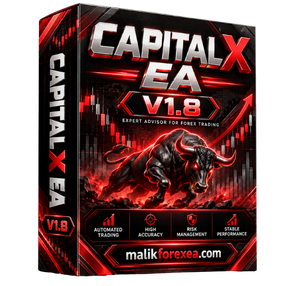
Original price was: $ 60.$ 30Current price is: $ 30.
Secure delivery
Log in to downloadComplete product information
CAPITAL X EA MT5 V1.8 is an automated trading robot designed for the MetaTrader 5 platform, with available version-specific product listings identifying BTCUSD (Bitcoin) on the H1 timeframe as its primary trading setup. The EA is designed to automate market analysis and trade execution while providing configurable trading and risk-management settings.
You can also explore additional MT5 Expert Advisors, Forex EAs, Gold trading robots, and trading tools at bullfx.net.
CAPITAL X EA MT5 V1.8 is an Expert Advisor developed for MetaTrader 5 to automate trading decisions. According to available product descriptions, the EA focuses on Bitcoin trading through the BTCUSD market and uses the H1 timeframe
Instead of requiring traders to monitor every price movement manually, the CAPITAL X EA is intended to execute trades according to its programmed strategy and settings.
Automated trading can help maintain consistency in following predefined rules, but it does not eliminate market risk. Results can vary depending on market volatility, broker execution, spread, leverage, and configuration.
The following features are described in available version-specific product listings.
The CAPITAL X EA MT5 V1.8 is primarily marketed for BTCUSD trading on the H1 timeframe. Bitcoin can experience rapid price movements, making market conditions and position sizing particularly important.
The EA is designed to automate trade execution instead of requiring constant manual monitoring. Traders should verify that their broker supports BTCUSD trading through MT5 and check the symbol’s trading hours and contract specifications.
Product descriptions present CAPITAL X EA as an algorithmic trading system that analyzes market conditions to identify potential trading opportunities.
The exact strategy logic should be verified against the documentation supplied with the specific v1.8 package. Automated market analysis does not guarantee that every entry will be profitable or that the EA will perform consistently in every market environment.
Some product listings advertise built-in Stop Loss (SL) and Take Profit (TP) functionality for CAPITAL X EA MT5 V1.8.
A Stop Loss defines a planned exit level when the market moves against a position, while a Take Profit specifies a target at which a trade may close.
These features can help establish a more structured approach to trade management. However, slippage, gaps, and execution conditions can cause actual results to differ from the planned exit.
Risk management is an important consideration when choosing a BTCUSD Trading EA.
Available product descriptions mention risk-control functionality, but exact settings can differ between packages. Before activating CAPITAL X EA, review the lot size, stop-loss distance, maximum exposure, and any available daily loss controls.
Never assume that an advertised risk-management feature makes the EA risk-free.
CAPITAL X EA MT5 V1.8 is distributed as an MT5 Expert Advisor. One product listing identifies an .ex5 file and a preset named btcusd h1.set, along with an installation package intended for compatible MT5 builds.
A compatible MT5 installation is required to run the EA. Check the package version and terminal build before installation.
| Feature | Details |
|---|---|
| Product Name | CAPITAL X EA MT5 V1.8 |
| Platform | MetaTrader 5 |
| Primary Instrument | BTCUSD / Bitcoin |
| Timeframe | H1 |
| Trading Type | Automated |
| Trading Approach | Algorithmic execution |
| Stop Loss | Advertised in selected listings |
| Take Profit | Advertised in selected listings |
| Preset File | BTCUSD H1 setfile listed |
| Installation | MT5 Expert Advisor |
| VPS | Useful for continuous operation |
Specifications are based on version-specific product listings and should be checked against the exact package you intend to use.
Follow these general steps to install the CAPITAL X EA MT5 V1.8 file:
Open MetaTrader 5.
Select File → Open Data Folder.
Open the MQL5 folder.
Open the Experts folder.
Copy the CAPITAL X EA .ex5 file into the Experts folder.
Restart MT5 or refresh the Navigator panel.
Locate CAPITAL X EA under Expert Advisors.
Open a BTCUSD chart and select the H1 timeframe.
Attach the EA to the chart.
Load the supplied SET file if one is included.
Review all trading and risk-management inputs.
Enable Algo Trading after completing the necessary checks.
If the EA does not appear or fails to start, check the MT5 Experts and Journal tabs for error messages.
A virtual private server (VPS) can keep MetaTrader 5 running when your personal computer is switched off. This is useful for traders who want their CAPITAL X EA MT5 V1.8 terminal to remain connected to the broker.
A VPS does not improve the underlying strategy or guarantee better trading results. It primarily supports continuous operation and a stable connection.
Before using CAPITAL X EA MT5 V1.8 with real money, test it on a demo account.
During testing, monitor:
Maximum drawdown and floating losses
Trade frequency and holding time
Stop-loss and take-profit behavior
Spread and execution quality
Lot sizing and margin usage
Performance during volatile Bitcoin movements
Compatibility with your broker’s BTCUSD specifications
Historical results and short-term demo performance cannot guarantee future profits. Use conservative settings appropriate to your circumstances, and verify the EA’s behavior before considering live deployment.
Looking for more automated trading software? Visit bullfx.net to explore available MT5 Expert Advisors, MT4 EAs, Gold trading EAs, Forex indicators, and automated trading tools.
Comparing trading systems by instrument, timeframe, strategy, risk controls, and broker requirements can help you identify products that better fit your trading setup.
CAPITAL X EA MT5 V1.8 is an automated MetaTrader 5 trading system marketed primarily for BTCUSD Bitcoin trading on the H1 timeframe. Its published features include algorithmic trade execution, configurable trading settings, and risk-management functionality.
Before purchasing or installing the CAPITAL X EA, verify the exact version, supported instrument, package contents, and licensing terms. Test the system on a demo account and evaluate its drawdown, execution quality, and risk settings before using real funds.
For more trading software, visit bullfx.net.
Forex, cryptocurrency, and CFD trading involve substantial financial risk. Automated trading software cannot guarantee profits, and historical results do not predict future performance. Always understand the EA’s settings, test it thoroughly, and trade only with money you can afford to lose.
Confirm the supplied MetaTrader platform, version, and included-file information before purchase.
Protected files remain attached to eligible BullFX orders or membership access.
Scan supplied files and begin on a demo account with appropriate risk controls.
Review the product description or contact support if the supplied-file list is not yet published.
Follow the BullFX installation guide and verify compatibility before loading files into MetaTrader.
Confirmed updates appear in the eligible customer account when supplied.
Purchase does not imply resale or redistribution rights unless the product terms explicitly grant them.
Trading software can lose money and does not guarantee an outcome.








Reviews
There are no reviews yet.