Included files
Review the product description or contact support if the supplied-file list is not yet published.
Original price was: $ 50.$ 30Current price is: $ 30.
Secure delivery
Log in to downloadComplete product information
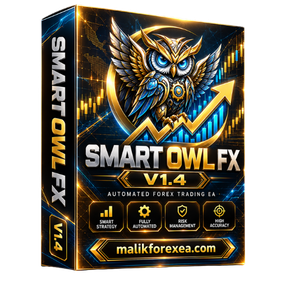
Smart Owl FX MT5 V1.4 is an automated Forex trading Expert Advisor designed for MetaTrader 5. The Smart Owl FX MT5 V1.4 EA focuses on multi-currency trading during the Asian session, using a mean-reversion strategy to identify potential trading opportunities in quieter market conditions.
According to the official Smart Owl FX product page on MQL5, the EA analyzes market structure and price levels, trades multiple currency pairs from one chart, and uses a fixed stop-loss for each trade. The developer states that the strategy does not use martingale, grid trading, or averaging.
This Smart Owl FX MT5 V1.4 review covers the EA’s features, trading strategy, supported Forex pairs, installation process, and risk management considerations.
You can also explore automated trading tools and Forex Expert Advisors at bullfx.net.
| Specification | Details |
|---|---|
| EA name | Smart Owl FX |
| Version covered | V1.4 |
| Trading platform | MetaTrader 5 |
| Trading style | Asian-session scalping |
| Strategy | Mean reversion and market-structure analysis |
| Working timeframe | M5 |
| Installation chart | USDCHF |
| Supported pairs | 10 Forex currency pairs |
| Stop-loss | Fixed stop-loss, according to the developer |
| Martingale | Not used, according to the official description |
| Grid trading | Not used, according to the official description |
| Risk configuration | Per-pair risk adjustment added in V1.3 |
| Minimum take-profit check | Added in V1.4 |
| Official product page | MQL5 Smart Owl FX |
The version history records the addition of per-pair risk adjustment in V1.3 and a minimum take-profit check in V1.4. The current official product listing has since advanced to V2.0, so this article focuses on V1.4 rather than attributing newer features to the older version.
The Smart Owl FX MT5 V1.4 EA is designed to trade during the Asian session, when some currency pairs experience relatively quieter market conditions.
During these periods, prices may move away from a typical range and subsequently return toward it. The EA attempts to identify such opportunities automatically. However, market conditions can change quickly, and low volatility does not guarantee profitable trades.
Mean reversion is a trading method based on the idea that prices may return toward a historical average or established range after moving away from it.
Smart Owl FX MT5 V1.4 uses market-structure and price-level analysis according to the developer’s description. Its exact entry thresholds and internal calculations are not fully disclosed in the public product summary.
The strategy may perform differently when a currency pair begins a strong directional trend instead of returning toward its previous range.
One notable feature of Smart Owl FX MT5 V1.4 is its ability to monitor multiple currency pairs from a single chart.
The official product description specifies USDCHF on the M5 timeframe as the base chart. The EA is designed to scan and trade the other supported pairs automatically, rather than requiring a separate chart for every pair.
The developer states that every trade has a fixed stop-loss and that the EA does not rely on martingale, grid, or averaging strategies.
This distinction is important because recovery-based systems can accumulate large positions when the market moves against them. Nevertheless, fixed stop-loss protection cannot eliminate losses caused by slippage, gaps, or poor execution.
The official Smart Owl FX MT5 listing identifies the following ten supported currency pairs:
| No. | Currency pair |
|---|---|
| 1 | EURUSD |
| 2 | GBPUSD |
| 3 | AUDUSD |
| 4 | USDCAD |
| 5 | USDCHF |
| 6 | AUDCAD |
| 7 | EURAUD |
| 8 | EURCHF |
| 9 | CADCHF |
| 10 | AUDCHF |
These are the pairs specified in the developer’s product description.
Before running Smart Owl FX MT5 V1.4, confirm that your broker uses compatible symbol names and offers suitable spreads and execution conditions. Currency-pair suffixes and broker-specific trading conditions can affect automated trading.
Automated Forex trading: Smart Owl FX MT5 V1.4 executes trades according to its programmed conditions, reducing the need for manual order placement.
Asian-session strategy: The EA is designed for lower-volatility trading periods and uses mean-reversion concepts.
Multi-pair scanning: Smart Owl FX MT5 can monitor ten specified currency pairs from one USDCHF M5 chart.
Per-pair risk settings: Version 1.3 introduced individual risk or lot adjustment for each currency pair.
Minimum take-profit check: Version 1.4 added a minimum take-profit check, according to the official version history.
No martingale or grid: The developer states that the system avoids martingale, grid trading, and averaging, and instead uses fixed stop-losses.
Performance figures for Smart Owl FX vary across third-party reviews and trading accounts. They should not be treated as guaranteed future returns or combined into a single expected performance figure.
For a meaningful assessment of Smart Owl FX MT5 V1.4, check:
Maximum equity drawdown, including floating losses.
Number of trades and length of the testing period.
Average winning trade compared with average losing trade.
Spreads, commissions, swaps, and slippage.
Whether results come from a live account or a historical simulation.
Whether the results correspond to V1.4 or a later release.
The official Smart Owl FX MQL5 page provides the product description and version information. Its version history documents changes between releases.
Follow these general steps to install a legitimate copy of Smart Owl FX MT5 V1.4.
Obtain the EA file and any matching preset files from a trusted source.
Open MetaTrader 5 and select File → Open Data Folder.
Open MQL5 → Experts and place the EA file in that folder.
Restart MT5 or refresh the Expert Advisors list in Navigator.
Open a USDCHF chart and select the M5 timeframe.
Attach Smart Owl FX MT5 V1.4 to the chart.
Configure the supported pairs and review the individual risk settings.
Verify the stop-loss and minimum take-profit settings.
Check the Experts and Journal tabs for errors.
Run a backtest and demo forward test before trading with real money.
For more information about installing and running automated trading systems, visit the official MetaTrader 5 Expert Advisor guide.
Even though Smart Owl FX MT5 V1.4 is advertised as avoiding martingale and grid strategies, it remains an automated trading system with financial risk.
Start with a demo account: Observe the EA over different market conditions before using real funds.
Use conservative risk settings: Avoid increasing lot sizes to recover losses.
Check all ten pairs: Multiple open trades can create correlated exposure.
Evaluate trading costs: Spreads and commissions are particularly important for short-term strategies.
Monitor stop-loss execution: Actual losses may exceed expected amounts during slippage or price gaps.
Use a reliable connection: A VPS can help maintain continuous operation when required by your trading setup.
For additional Forex trading resources and Expert Advisors, visit bullfx.net.
| Potential advantages | Limitations |
|---|---|
| Automated multi-currency trading | Several pairs may be exposed to related market movements |
| Designed for Asian-session conditions | Strong trends can challenge mean-reversion strategies |
| Fixed stop-loss protection, according to the developer | Slippage and gaps can increase losses |
| Per-pair risk adjustment in V1.4 | Requires careful configuration |
| No martingale or grid, according to the official listing | Profits are never guaranteed |
| One-chart installation | Broker conditions can affect results |
Smart Owl FX MT5 V1.4 is an automated Forex Expert Advisor designed for MetaTrader 5. It focuses on Asian-session trading, mean reversion, and multi-currency analysis.
The official setup specifies the M5 timeframe, with USDCHF as the base chart for scanning supported currency pairs.
According to the official product description, the EA does not use martingale, grid trading, or averaging. Each trade is described as having a fixed stop-loss.
The official version history states that V1.4 added a minimum take-profit check. The preceding V1.3 update introduced the ability to adjust risk or lot sizing for individual currency pairs.
Profitability cannot be guaranteed. Evaluate verifiable account records, historical drawdown, execution costs, and demo performance before using the EA on a live account.
Visit the official Smart Owl FX product page on MQL5 to review the developer’s current listing and version information.
Smart Owl FX MT5 V1.4 is a multi-currency Forex trading robot designed around Asian-session mean reversion, automated trade execution, and fixed stop-loss protection. Its ability to scan ten currency pairs from one chart and its per-pair risk configuration are notable features.
However, results depend on market conditions, broker execution, trading costs, and settings. Verify the exact V1.4 version, test it on demo, and review its drawdown before risking real money.
Explore more automated trading tools and Forex Expert Advisors at bullfx.net.
Disclaimer: This article is for educational purposes only and is not financial advice. Forex and CFD trading involve substantial risk, including the possibility of losing your invested capital.
Confirm the supplied MetaTrader platform, version, and included-file information before purchase.
Protected files remain attached to eligible BullFX orders or membership access.
Scan supplied files and begin on a demo account with appropriate risk controls.
Review the product description or contact support if the supplied-file list is not yet published.
Follow the BullFX installation guide and verify compatibility before loading files into MetaTrader.
Confirmed updates appear in the eligible customer account when supplied.
Purchase does not imply resale or redistribution rights unless the product terms explicitly grant them.
Trading software can lose money and does not guarantee an outcome.








Reviews
There are no reviews yet.