Included files
Review the product description or contact support if the supplied-file list is not yet published.
Original price was: $ 50.$ 30Current price is: $ 30.
Secure delivery
Log in to downloadComplete product information
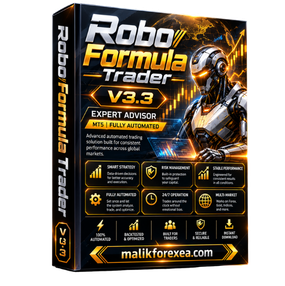
Robo Formula Trader EA V3.3 MT5 is an automated Expert Advisor designed for the MetaTrader 5 trading platform. The Robo Formula Trader EA V3.3 is marketed as a trading robot that analyzes market conditions and executes trades automatically using predefined trading rules.
According to the available product listings, Robo Formula Trader EA V3.3 combines price-action analysis, trend-following concepts, and volatility-based signals. One listing describes a breakout strategy using Keltner Channels, while another emphasizes volatility contraction and momentum breakouts. These descriptions may reflect different distributions or marketing claims, so the exact strategy should be verified against the documentation supplied with your version.
For more automated trading tools and Expert Advisors, visit bullfx.net.
| Specification | Details |
|---|---|
| EA name | Robo Formula Trader EA |
| Version | V3.3 |
| Platform | MetaTrader 5 |
| Trading style | Automated trend and breakout trading, according to listings |
| Advertised strategy | Price action, volatility analysis, and Keltner Channel breakouts |
| Trading instruments | Major Forex pairs; some sellers also advertise Gold |
| Timeframe | Listings vary, including M1, M5, and H1 configurations |
| Trading execution | Automated |
| Money management | Fixed lot and risk-based sizing are advertised |
| Trading filters | Session and spread filters are described by one listing |
| Martingale | One listing advertises no martingale by default; verify the actual version |
| Installation file | .ex5 |
| Testing platform | MT5 Strategy Tester |
These specifications are compiled from third-party product listings. They are not a guarantee that every version of Robo Formula Trader EA V3.3 includes all the same features.
The Robo Formula Trader EA V3.3 MT5 is designed to automate the process of identifying trading opportunities, placing orders, and managing positions. Its advertised strategy descriptions focus on trends, price movement, and volatility rather than requiring the trader to enter every trade manually.
Some product listings describe Robo Formula Trader EA V3.3 as using Keltner Channels to identify potential breakouts. Keltner Channels use a moving average and volatility-based bands to help traders evaluate price movement.
A move beyond an upper band may indicate bullish momentum, while a move below a lower band may indicate bearish momentum. A breakout can also fail, so a channel signal alone does not guarantee a profitable trade.
The Robo Formula Trader EA V3.3 is also described as using trend-continuation and momentum-breakout logic. The intention is to identify potential opportunities when price movement shows directional strength.
The exact indicators, confirmation rules, and entry conditions cannot be confirmed without the relevant version’s manual or input settings.
Once the configured conditions are satisfied, the Robo Formula Trader EA MT5 is intended to execute trades automatically. Depending on the supplied version, traders may be able to configure position size, trading hours, and protective settings.
Automation can reduce manual intervention, but it cannot eliminate losses or guarantee consistent results.
Automated trend and breakout trading
Robo Formula Trader EA V3.3 is advertised as analyzing price movement and volatility to identify potential trading opportunities.
Flexible money management
One product listing advertises fixed-lot sizing and automatic lot sizing based on balance or risk percentage. Confirm which options are available in your copy of the EA.
Trading session filter
One listing describes a filter intended to restrict trading to higher-liquidity periods, including the London and New York session overlap. This feature should be verified in the actual EA settings.
The advertised configuration includes spread filtering and news-filter readiness. These controls may help avoid some unfavorable conditions but cannot prevent all slippage or unexpected market movements.
The available listings do not agree on a single recommended timeframe or market configuration for Robo Formula Trader EA V3.3 MT5.
| Configuration | What listings indicate |
|---|---|
| Major Forex pairs | Advertised by multiple sellers |
| Gold (XAUUSD) | Included in some reseller descriptions |
| M1 | Listed by one seller |
| M5 | Mentioned in a third-party backtest video |
| H1 | Recommended in one published product announcement |
Sources: ShopForexEA, ShopEA, and YoForex.
Follow these steps when installing a legitimate copy of Robo Formula Trader EA V3.3.
Obtain the EA file and any accompanying documentation or preset files from a source you trust.
Open MetaTrader 5 and select File → Open Data Folder.
Navigate to MQL5 → Experts.
Copy the Robo Formula Trader EA .ex5 file into that folder.
Restart MT5 or refresh the Expert Advisors list in Navigator.
Open the chart and timeframe recommended for your version.
Attach Robo Formula Trader EA V3.3 to the chart and review the input parameters.
Check the lot size, stop-loss, take-profit, spread filter, and trading-session settings.
Enable Algo Trading and check the Experts and Journal tabs for errors.
Run a backtest and demo forward test before considering live trading.
For platform-specific instructions, consult the official MetaTrader 5 trading robots documentation.
Using Robo Formula Trader EA V3.3 with appropriate risk controls is essential. Even a breakout strategy can experience consecutive losses when markets reverse or produce false signals.
Start with demo testing: Observe the EA across different market conditions.
Use conservative position sizes: Avoid increasing lot size simply to recover losses.
Check stop-loss settings: Confirm that protective orders are actually placed and managed as expected.
Monitor spread and slippage: Trading costs can reduce the profitability of automated strategies.
Test multiple market environments: Include trending, ranging, and volatile periods.
Review drawdown: Evaluate equity drawdown as well as closed-trade results.
One seller advertises a minimum deposit of $100, but this is a reseller recommendation, not a verified minimum required by the EA. The appropriate account size depends on the broker, instrument, position size, and risk settings.
| Potential advantages | Limitations |
|---|---|
| Automates predefined trading rules | No guarantee of profitable trades |
| Advertised trend and breakout approach | Exact strategy implementation is unverified |
| Configurable money management advertised | Available settings may differ by version |
| Session and spread filters advertised | Filters cannot eliminate execution risk |
| Compatible with MT5 | Requires correct installation and testing |
Robo Formula Trader EA V3.3 MT5 is an automated Expert Advisor marketed for MetaTrader 5. Product listings describe trend analysis, price-action trading, and volatility-based breakout strategies.
One listing states that martingale is not enabled by default. However, the exact position-sizing behavior must be checked in the actual EA and its documentation.
Some sellers advertise Gold trading support, while other listings focus on Forex pairs. Verify XAUUSD compatibility with your particular version before attaching the EA to a Gold chart.
Profitability cannot be established from marketing descriptions alone. A backtest video or reseller claim is not proof of future performance. Run independent tests and review the full results, including drawdown and trading costs.
Visit bullfx.net to explore more Forex Expert Advisors, trading tools, and related resources.
Robo Formula Trader EA V3.3 MT5 is marketed as an automated trading robot that uses trend analysis, price action, and volatility-based breakout concepts. Advertised features include automatic trade execution, configurable position sizing, and session or spread filters.
However, the available descriptions differ regarding the exact strategy, supported markets, and recommended timeframe. Verify the specific version, test its behavior on demo, and evaluate its drawdown before using real money.
Explore more automated trading tools at bullfx.net.
Disclaimer: This article is for educational purposes only and is not financial advice. Forex and CFD trading involve substantial risk, and you may lose some or all of your trading capital.
Confirm the supplied MetaTrader platform, version, and included-file information before purchase.
Protected files remain attached to eligible BullFX orders or membership access.
Scan supplied files and begin on a demo account with appropriate risk controls.
Review the product description or contact support if the supplied-file list is not yet published.
Follow the BullFX installation guide and verify compatibility before loading files into MetaTrader.
Confirmed updates appear in the eligible customer account when supplied.
Purchase does not imply resale or redistribution rights unless the product terms explicitly grant them.
Trading software can lose money and does not guarantee an outcome.







Reviews
There are no reviews yet.