Included files
Review the product description or contact support if the supplied-file list is not yet published.
Original price was: $ 60.$ 30Current price is: $ 30.
Secure delivery
Log in to downloadComplete product information
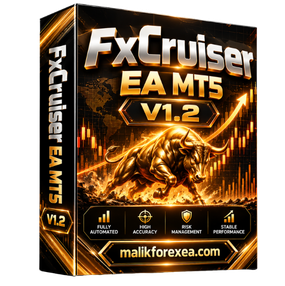
FxCruiser EA MT5 v1.2 is marketed as an automated Expert Advisor for MetaTrader 5, designed to trade multiple markets, including Forex currency pairs, Gold (XAUUSD), US30, and NAS100. Third-party listings describe automated trade execution, adjustable risk settings, and position-management features.
If you are researching Forex robots for your trading setup, this guide covers the advertised features, potential benefits, important risks, installation process, and SEO information for FxCruiser EA MT5 v1.2.
You can also explore other automated trading tools and resources at bullfx.net.
FxCruiser EA MT5 v1.2 is promoted as a fully automated trading robot that monitors market conditions and executes trades according to its programmed logic. Unlike a manual trading strategy, an Expert Advisor can manage trade operations directly through the MetaTrader 5 terminal.
Product listings describe the EA as a multi-market system with trend and momentum analysis, dynamic position management, and recovery-style trading elements. However, the detailed strategy is not consistently described across sellers, so its exact entry rules and exposure limits should be verified with the provider.
| Feature | Details |
|---|---|
| Product name | FxCruiser EA MT5 |
| Version | v1.2 |
| Platform | MetaTrader 5 |
| Product type | Automated Expert Advisor |
| Advertised markets | Forex, Gold, US30, NAS100 |
| Trading approach | Descriptions vary; trend-based and recovery-style elements are advertised |
| Risk settings | Adjustable, according to sellers |
| Position management | Advertised |
| VPS | Recommended for continuous operation |
| Broker | Low-spread execution is recommended by sellers |
| DLL requirement | Some v1.2 distributions require DLL access |
| Timeframes | Multi-timeframe functionality is advertised; exact requirements depend on the package |
These specifications summarize third-party product listings rather than an independent technical audit. Confirm the supported instruments, exact trading rules, and required MT5 build before installation.
FxCruiser EA MT5 is designed to automate trade execution through MetaTrader 5. Once configured and enabled, an EA can monitor its programmed conditions and place or manage orders without requiring the trader to execute each trade manually.
Automation can save time, but it does not eliminate trading risk. The trader remains responsible for checking account exposure, monitoring performance, and ensuring the system is operating correctly.
Third-party listings advertise FxCruiser EA MT5 for several instruments:
Forex currency pairs
Gold (XAUUSD)
US30
NAS100
This flexibility may appeal to traders who want to evaluate a trading system across different markets. However, every instrument has its own contract specifications, spread, volatility, and margin requirements. Test each market independently instead of assuming that one configuration will work equally well everywhere.
Some product descriptions characterize the EA as using trend direction, momentum, and volatility conditions to identify potential trading opportunities.
These concepts are common in algorithmic trading. A trend-based approach attempts to identify directional movement, while momentum analysis examines the strength of price changes. Nevertheless, the exact indicators and decision rules used by FxCruiser EA v1.2 are not fully documented in the available sources.
The EA is marketed with automated position-management functionality. Some descriptions also mention recovery-style execution and basket management.
Recovery systems deserve particular attention. Depending on their implementation, they may open additional positions when earlier trades are losing. This can increase exposure and floating drawdown, especially during persistent market moves.
Before using FxCruiser EA, determine whether it uses grid entries, lot multipliers, averaging, hedging, or basket-level exits. Do not assume that the system has a hard stop-loss or a maximum exposure limit unless these controls are documented and tested.
Sellers advertise configurable risk settings, allowing traders to adjust the EA to their preferences.
Before changing these settings, establish:
The maximum lot size.
The maximum number of simultaneous positions.
Whether stop-losses are placed on individual trades.
Whether recovery trades increase position size.
The maximum acceptable account drawdown.
Whether the EA stops trading after a daily loss limit.
The available product descriptions do not independently verify all these protections. Confirm each feature in the actual settings and documentation.
A virtual private server (VPS) can keep MetaTrader 5 running when your personal computer is turned off. This is useful for automated systems that need a stable terminal connection.
A VPS improves availability, not strategy profitability. Broker execution, connectivity, and the EA’s trading logic remain important.
Follow these general instructions for an authorized package compatible with your version of MetaTrader 5.
Obtain the EA file. Verify the provider, version number, MT5 build, and licensing requirements.
Open MetaTrader 5. Log in to your broker account, preferably a demo account.
Open the data folder. Select File → Open Data Folder.
Locate the Experts directory. Open MQL5 → Experts and place the EA file there if required by the installation guide.
Restart or refresh MT5. Find FxCruiser EA in the Navigator panel.
Attach it to the appropriate chart. Follow the provider’s instructions for supported instruments and timeframes.
Review the inputs. Check lot size, position limits, risk settings, and any recovery parameters.
Enable automated trading only when ready. Confirm that both the platform and the individual EA permit trading.
Test on demo first. Monitor orders, errors, margin usage, and drawdown before considering a live account.
Some FxCruiser EA v1.2 packages are advertised as requiring DLL access.
Use only files from a source you trust. Do not disable antivirus protection or grant additional permissions merely because an unofficial download page recommends doing so.
Some sellers publish performance figures, including monthly returns of 7–12%, profit factors of 1.5–2.0, and drawdown below 20%. These are seller-reported figures, not independently verified expectations or guarantees.
Before relying on any results, examine:
Maximum drawdown: The largest historical decline in equity.
Profit factor: Gross profits divided by gross losses.
Trade count: Whether results are based on enough trades to be informative.
Live versus backtest performance: Whether real-money results support the historical simulation.
Trading costs: Spreads, commissions, swaps, and slippage.
Recovery exposure: Whether the EA increases position sizes or accumulates trades during losses.
Broker compatibility: Whether execution conditions match those used during testing.
A profitable backtest does not guarantee future performance. Forward-test the EA under realistic conditions and assess risk as carefully as returns.
Potential advantages
Automates trading through MT5.
Advertised support for Forex, Gold, and selected indices.
Offers configurable trading settings, according to sellers.
Can reduce the need for constant manual execution.
Can be evaluated on a demo account before live deployment.
Important disadvantages
Detailed strategy rules are not consistently documented.
Some distributions require DLL access.
Recovery-style trading can increase exposure and drawdown.
Results may vary across brokers and market conditions.
Seller-reported performance figures are not a guarantee of future returns.
Yes, it is marketed as an MT5 Expert Advisor. Check the exact package’s supported terminal build and any license or DLL requirements before installing it.
Third-party listings advertise XAUUSD support. Confirm that your particular distribution supports your broker’s Gold symbol and its contract specifications.
Some listings describe grid, recovery, or basket-management elements, while others emphasize trend and momentum trading. The precise behavior of your v1.2 package needs to be verified before use.
No. No Forex robot can guarantee profits. Even a system with positive historical results can experience losing trades and significant drawdowns.
Beginners should start with demo testing and learn how the EA manages positions, margin, and drawdown before considering live trading.
FxCruiser EA MT5 v1.2 is marketed as a multi-market automated trading robot for MetaTrader 5, with advertised support for Forex pairs, Gold, and indices. Its product descriptions mention automated execution, configurable risk settings, and position-management functionality.
The most important step is to verify the exact version’s strategy and risk controls, particularly if it uses recovery or grid-style trading. Test the EA on a demo account, evaluate realistic trading costs, and avoid aggressive position sizing.
For more automated trading tools and resources, visit bullfx.net.
Financial disclaimer: This article is for educational and informational purposes only. It is not financial advice or a promise of returns. Forex, Gold, and index trading involve substantial risk, and you may lose some or all of your invested capital.
Confirm the supplied MetaTrader platform, version, and included-file information before purchase.
Protected files remain attached to eligible BullFX orders or membership access.
Scan supplied files and begin on a demo account with appropriate risk controls.
Review the product description or contact support if the supplied-file list is not yet published.
Follow the BullFX installation guide and verify compatibility before loading files into MetaTrader.
Confirmed updates appear in the eligible customer account when supplied.
Purchase does not imply resale or redistribution rights unless the product terms explicitly grant them.
Trading software can lose money and does not guarantee an outcome.







Reviews
There are no reviews yet.